Altitude Angel Materials
in Action
Materials guides serve as a single source of truth for how UI elements look, behave, and interact. By documenting components clearly and consistently, they help designers and developers work more efficiently, maintain design coherence, and deliver seamless, accessible user experiences across products and platforms.
The following examples show the Altitude Angel materials guides in action. You’ll see common themes applied consistently across light and dark modes, and across three distinct platforms designed for pilots, regulators, and airspace managers.
User Research
Developing the materials guides was about far more than visual consistency — it was rooted in extensive user research. With an established suite of products already in the marketplace, Altitude Angel provided access to a wide and active user base. One-to-one interviews, group sessions, surveys, and journey mapping all informed the process, ensuring that the guidelines reflected real user needs and challenges rather than assumptions.
Airspace Awareness Page - Drone Safety Map
Airspace awareness is a complex field. This page enables users to view regulations in their area and to select regions on the map for further detail. Because regulated airspace comes with many requirements, presenting large-scale information in a user-centred way is a significant challenge. The design system supports this by defining clear rules for iconography, colour, and typography, ensuring information can be delivered quickly, clearly, and consistently.

Pilot Registration
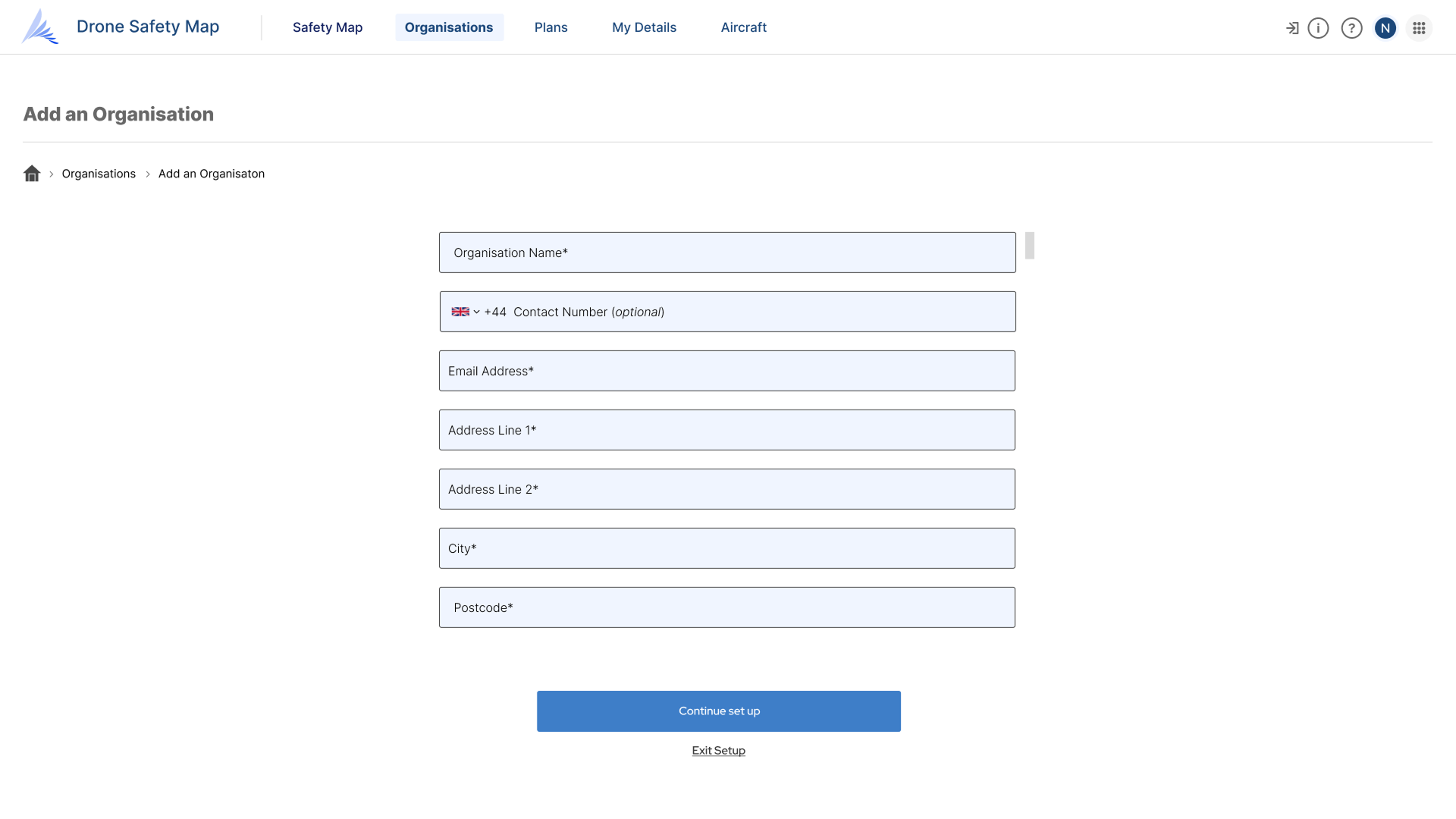
Becoming a registered drone pilot involves several steps, from CAA (Civil Aviation Authority) registration to entering aircraft details, pilot information, licences, and organisational data. To make this process accessible and efficient, form design follows established patterns that emphasise clarity and inclusivity. Single-column layouts, logical tabbing, and screen reader compatibility ensure compliance with WCAG principles, while creating a smooth experience for all users.
Setting up Airspace for the Future - Zone Manager
At first glance, Zone Manager may look similar to the Drone Safety Map, but it serves a very different role. It allows airspace managers to define and maintain controlled zones above their airfields or commercial assets. Despite the different functionality, the shared design language creates a sense of familiarity and reduces cognitive load. Reusing patterns of iconography, colour, and interaction ensures the platform feels both intuitive and cohesive within the wider product suite.

Managing Pilot and Flights - Operations Manager
Operations Manager completes the trio of products. It enables airspace managers to communicate with pilots, approve or decline flight plans, review pilot details, and visualise incoming requests on a map — an adapted version of the system used in both Zone Manager and the Drone Safety Map. In busy airspaces such as London Heliport, hundreds of flight plans may be submitted daily. The materials guides support this complexity through flexible table designs and a customisable interface, allowing managers to surface the most relevant information instantly. This ensures safe, transparent, and efficient management of airspace.

The Dark and the Light
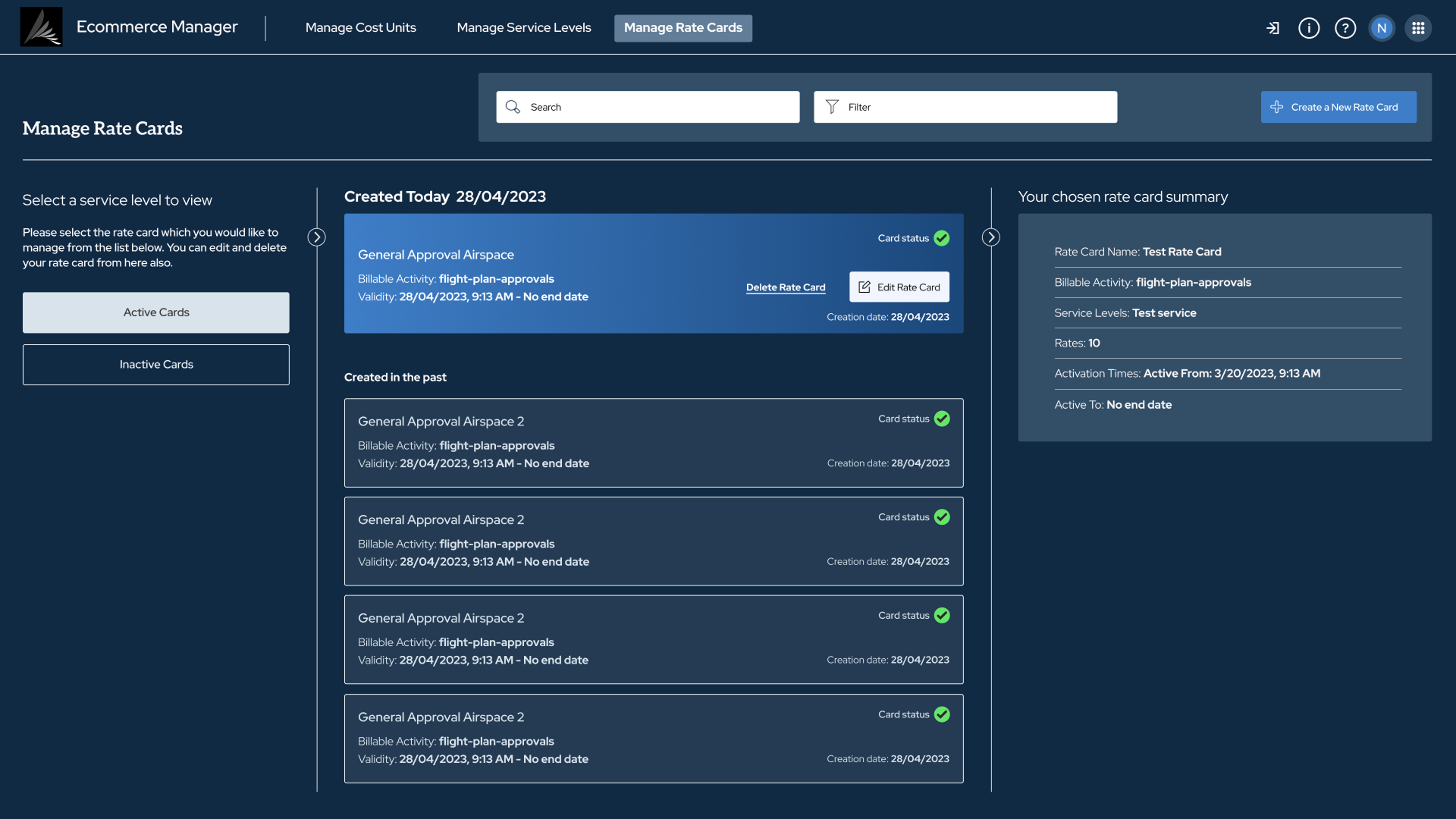
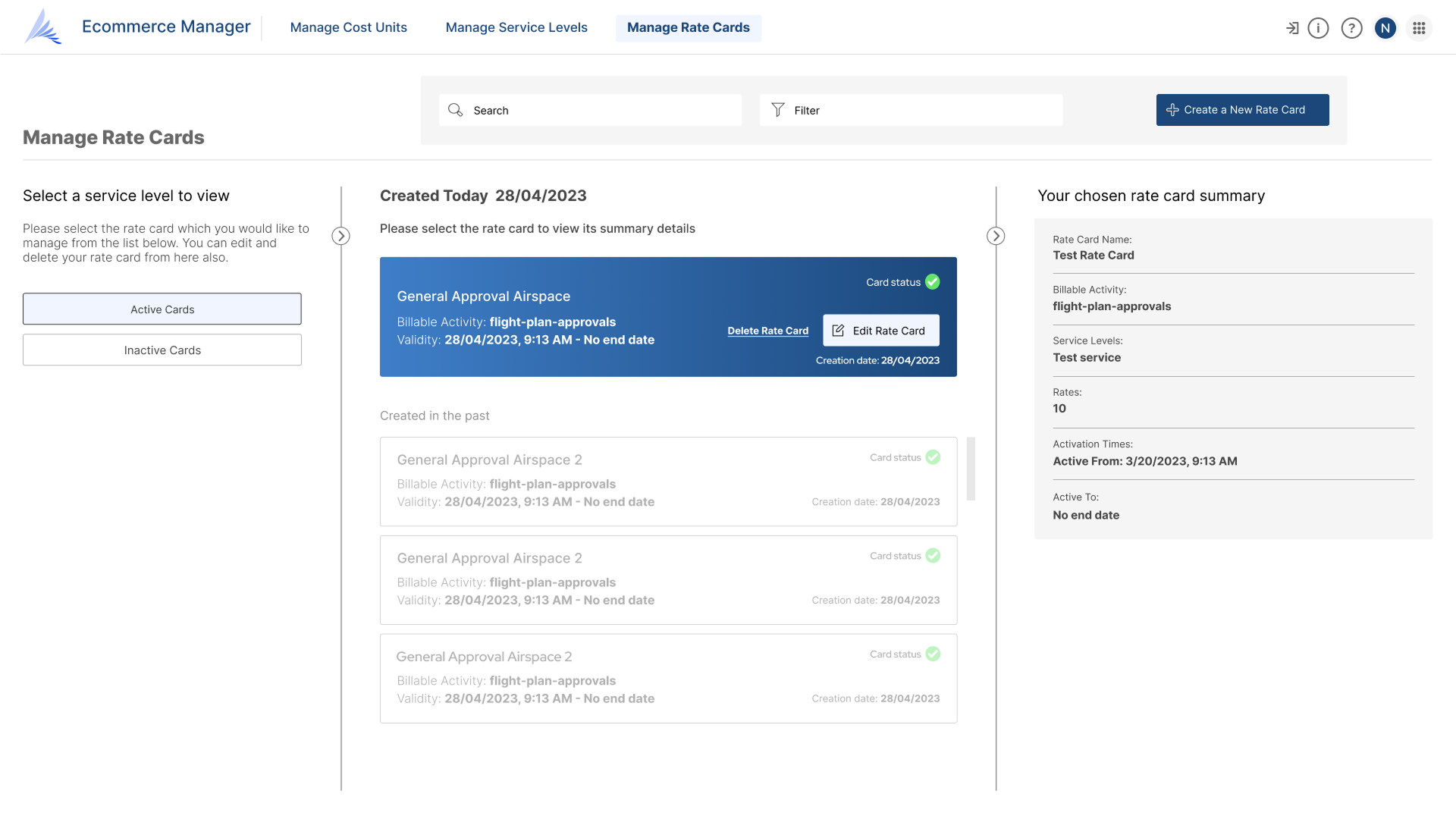
Dark and light modes are often seen as purely aesthetic or preference-driven, but in this context they serve a vital operational purpose. Many drone operations take place in the field, where lighting conditions vary greatly. A well-designed dark and light mode can make the difference between safe and unsafe operations. The materials guide addresses this need directly, ensuring clarity and usability in all environments.
Conclusion
The Altitude Angel materials guides demonstrate how solid design principles, consistent implementation, and rigorous user research can scale across multiple products. By creating a shared design language, the suite delivers interfaces that feel familiar yet fit-for-purpose, reducing cognitive load while supporting complex tasks for different audiences. Whether enabling pilots to register quickly, helping regulators navigate large-scale information, or giving managers the tools to oversee busy airspace safely, the results show how a well-crafted system can drive both efficiency and user confidence.